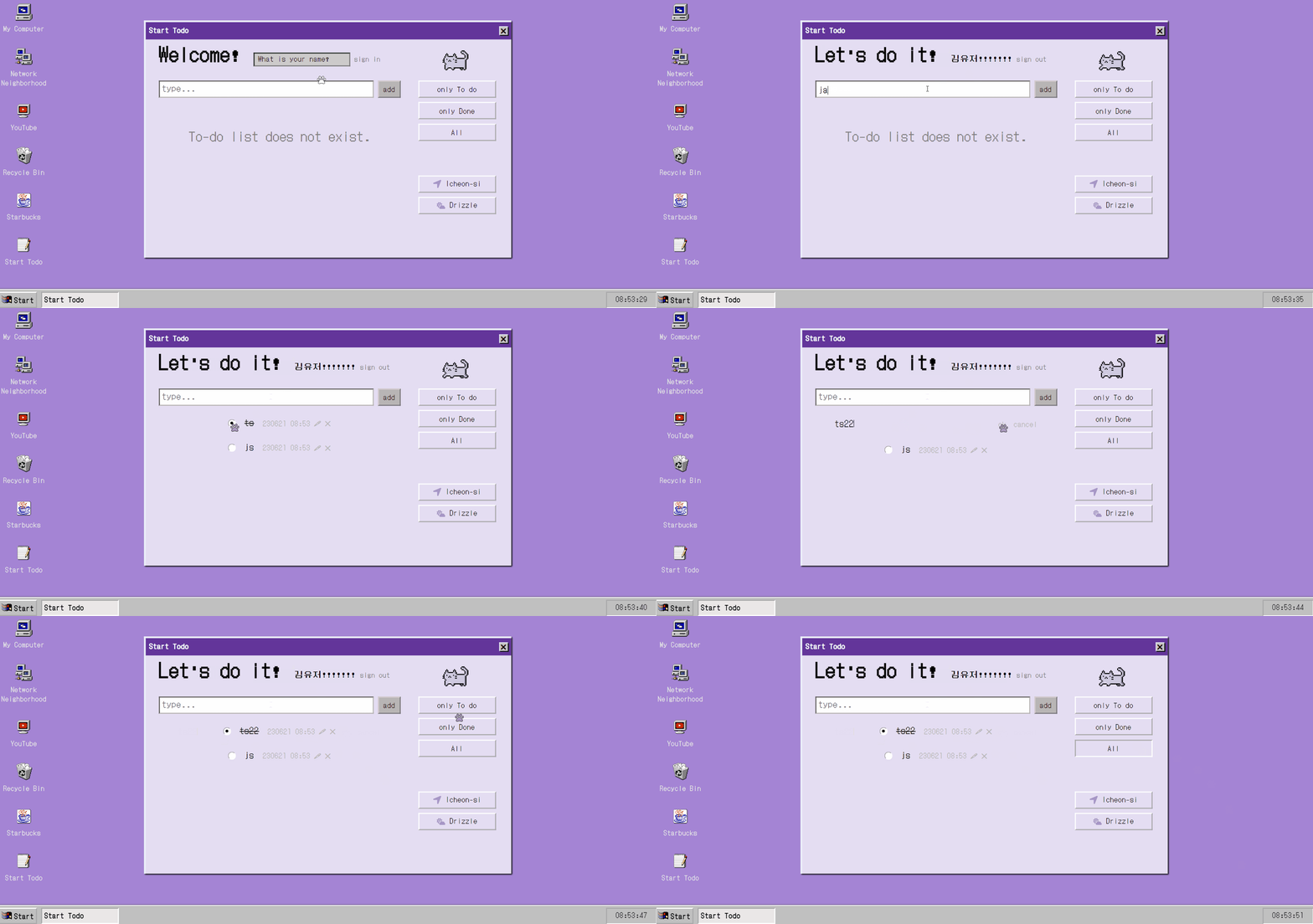
Vaniila JS로 To-do 사이트 만들기(CRUD 구현, Rest API 활용)에 그치지 않고 부족한 부분을 보완했다. Webpack,Typescript, dot env를 적용했고, 리팩토링과 의도에 맞도록 동작하는 것과 기능을 추가하는 것을 진행했다.
🐾 Webpack과 Typescript
따로 포스팅을 하여 상세히 과정을 적어두기도 했다.
📌 Webpack
Webpack에 대한 이해도를 높이기 위해, Parcel 번들러를 걷어내고 Webpack 을 적용해봤다. 확실히 Parcel보다 사용자가 설정해줘야하는 것이 많았다. 하지만 Webpack5 버전까지 올라오면서 대부분 default 로 자동 설정되는 부분도 많았다.
📌 Typescript
Typescript는 여태 프로젝트에 참여하면서 다른 분들이 설정해주신 것을 쓰기만 했다. 혼자 설정도 해보고 언어에 익숙해지고자 도입했다. 또 Webpack과 Typescript로 개발환경을 혼자 만들어보고 싶었다! 환경을 구축하며 에러를 맞닥뜨렸고, 결국 도입한 프로그램들 간의 연결을 고려해야하는 것의 필요성을 깨달았다. 또 type 지정에 많이 능숙해졌다고 생각했는데, 아직 공부해야하는 게 많다는 걸 알게됐다.
🐾 리팩토링
이 프로젝트를 진행할 당시엔 js로 무언가를 만드는 걸 처음 해봤고, rest api 호출도 익숙하지 않았다. fetch도 뭔지 모르고 일단 구현하는 걸 목표로 하며 진행했다. 이 후 다른 팀 프로젝트들을 진행하면서 계속 초반에 진행했던 이 todo 사이트가 눈에 밟혔다. 내가 작성했지만 더 나은 (가독성과 유지보수 측면) 코드를 작성하고 싶었고, 못해봤던 것도 해보고 싶었다. 그래서 리팩토링을 진행하게 됐다.
📌 디렉토리 구조 변경
┏ 📦css
┃ ┣ #️⃣reset-css.css
┃ ┗ 📜style.css
┣ 📦js
┃ ┣ 📜APIkey.js
┃ ┣ 📜APIs.js
┃ ┣ 📜clock.js
┃ ┣ 📜location-and-weather.js
┃ ┗ 📜main.js
┃ ┗ 📜username.js
┣ 📜index.html
┣ 📜package-lock.json
┣ 📜package.json
┗ 📜README.md
위는 기존 디렉터리 구조이다. main.js 에서 위젯(clock, location-and-weather, username)도 import 하고 todo와 관련된 crud 도 구현하는 등 한 파일에서 많은 것들이 이뤄지고 있었다. 가독성이 현저히 떨어졌다.
import '@/reset-css.css';
import '@/main.css';
import clock from '@utils/clock';
import { success, error } from '@utils/location-and-weather';
import username from '@utils/username';
import { todoFormEl, filterBtn, titlebarBtn } from '@utils/store';
import {
  handleGetTodos,
  handleAddTodos,
  handleFilter,
} from '@utils/handleTodo';

// clock
setInterval(clock, 1000, '.taskbar-clock');

// weather and location
navigator.geolocation.getCurrentPosition(success, error);

// username
const signinFormEl = document.querySelector('.type-name-form');
const signinInputEl = document.querySelector('.type-name-input');
const printNameEl = document.querySelector('.print-name');
const signoutBtn = document.querySelector('.signoutbtn');
username(signinFormEl, signinInputEl, printNameEl, signoutBtn);

// titlebarBtn
titlebarBtn?.addEventListener('click', () => {
  alert("can't close 😀");
});

// get
handleGetTodos();

// add
todoFormEl?.addEventListener('submit', handleAddTodos);

// filter
filterBtn?.addEventListener('click', handleFilter);
많은 것들을 모듈화시켜 분리해낸 현재의 main.ts 파일이다. 이 파일에서 기능을 동작하는 것은 피하고, 최대한 이미 선언한 함수들을 가져와 사용하려고 했다.
📌 중복코드 피하기
//get
export async function getServerTodos() {
  try {
    const res = await fetch(APIURL, {
      method: "GET",
      headers: HEADERS,
    });
    const json = await res.json();
    return json;
  } catch (error) {
    console.log(error);
  }
}
//add
export async function addServerTodos(title, order) {
  try {
    const res = await fetch(APIURL, {
      method: "POST",
      headers: HEADERS,
      body: JSON.stringify({
        title: title,
        order: order,
      }),
    });
    const json = await res.json();
    return json;
  } catch (error) {
    console.log(error);
  }
}
.
.
.
api 관련 코드들은 한 파일에서 관리하고 있었는데, 위처럼 중복된 코드들이 많았다.
const request = async (
  url: string,
  method: string,
  body: object | null = null
) => {
  try {
    const res = await fetch(url, {
      method,
      headers: HEADERS,
      body: body ? JSON.stringify(body) : null,
    });
    const json = await res.json();
    return json;
  } catch (error) {
    console.log(error);
  }
};

//get
const getServerTodos = async () =>
  (await request(TODO_BASE_URL, 'GET')) as IRes[];

//add
const addServerTodos = async ({ title, order = 0 }: IAddReq) =>
  (await request(TODO_BASE_URL, 'POST', { title, order })) as IRes;
.
.
.
공통된 부분들은 함수(request)로 만들어 중복되는 코드를 최대한 줄였다.
// 리팩토링 전
const month = String(date.getMonth() + 1).padStart(2, '0');
const day = String(date.getDate()).padStart(2, '0');
const hours = String(date.getHours()).padStart(2, '0');
const minutes = String(date.getMinutes()).padStart(2, '0');

// 리팩토링 후
const [month, day, hours, minutes] = [
    date.getMonth() + 1,
    date.getDate(),
    date.getHours(),
    date.getMinutes(),
  ]
    .map(String)
    .map((el) => el.padStart(2, '0'));
map을 활용하여 중복코드를 줄이려고도 했다.
🐾 의도에 맞도록 동작

- 필터가 걸려있을 때, 체크박스로 todo 의 상태를 변경해주면 목록에서 todo가 제거된다.
- 목록에서 모두 제거되면 todo가 없으므로 문구를 표시한다.
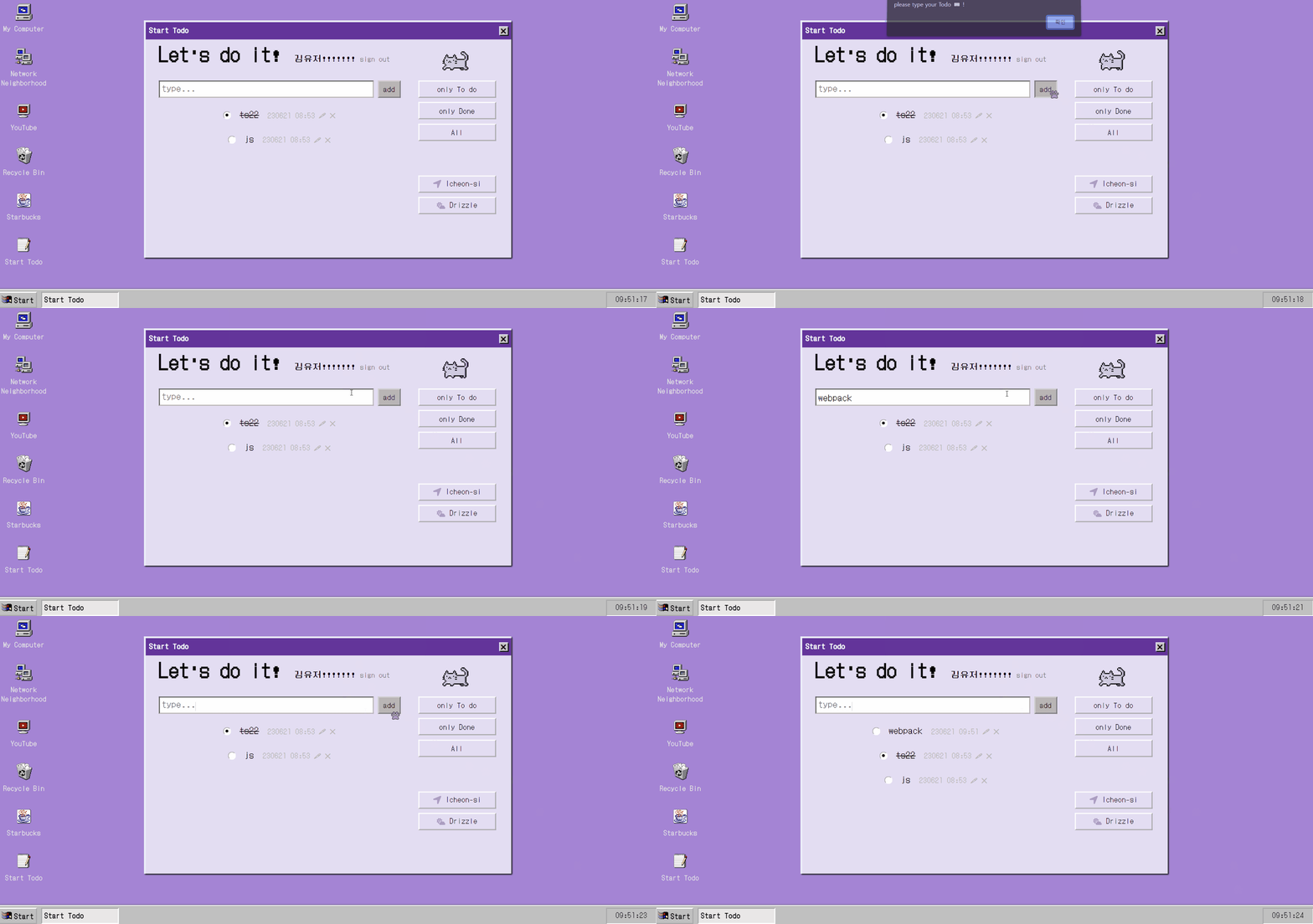
- todo를 입력하고 enter를 누를 때만 submit 됐다.
add버튼은 동작하지 않고 있던 것! 버튼을 눌러도 submit 되도록 수정했다. - 추가로 아무 것도 입력하지 않고 submit 하면, 아무 동작도 일어나지 않았었다. alert를 띄워 입력을 유도했다.
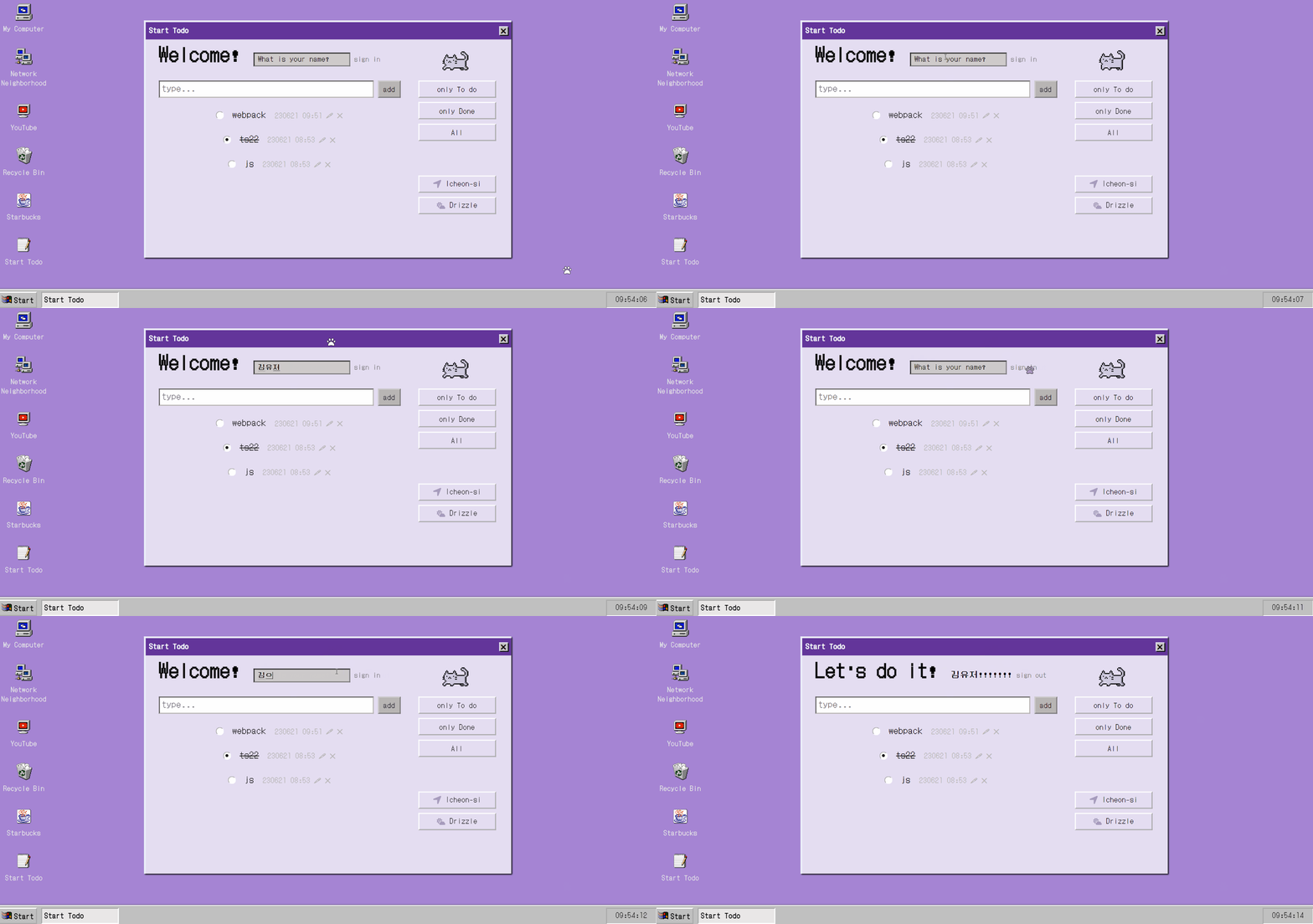
- user name 을 입력하고 enter로만 submit 되도록 되어 있었다.
sign in버튼을 만들었고, 버튼으로도 submit 되도록 했다. - sign in 했을 때와 하지 않았을 때 인삿말 문구를 달리 설정했다.
🐾 추가 기능

- 마우스 포인터 디자인 변경
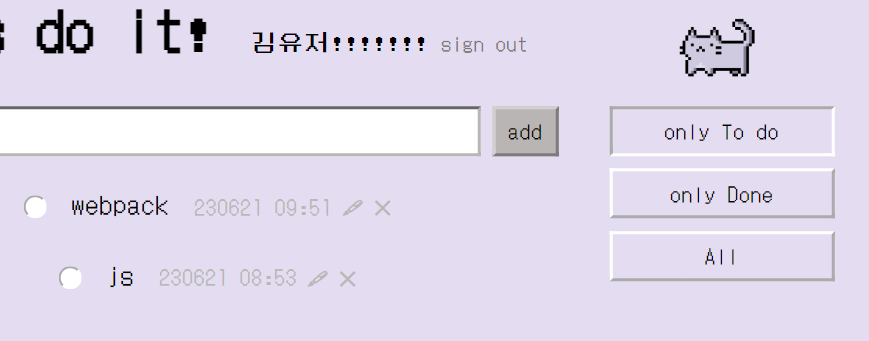
- 필터 버튼 눌렀을 때, border style 변경
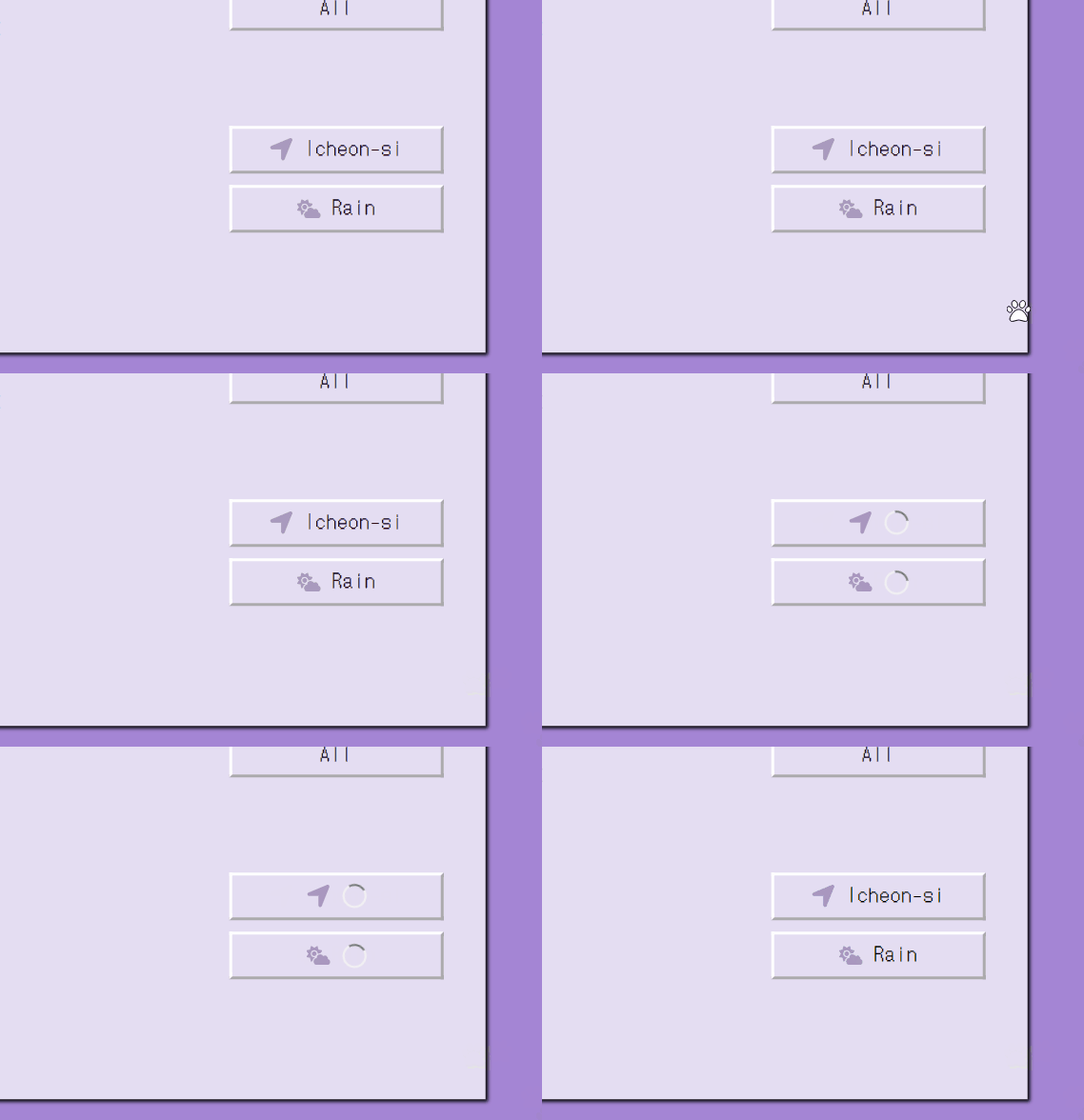
- 지역 및 날씨에 로딩 스피너 추가
🐾 회고
- 리팩토링 전엔 분기처리도 잘 안돼있고 의도치 않은 버그도 많았다. 그랬기에 늘 보완하고 싶고 정리하고 싶던 걸 해내서 너무 후련하다! 미루지 말고 그때그때 해야함의 필요성을 느꼈다...ㅎㅎ 무엇보다 정리되어 있지 않은 걸 보는 걸 내가 못 견딘다는 점...! 이번 작업을 통해 새롭게 만드는 것보다 보완하는 작업도 나는 꽤 흥미있어 한다는 걸 알게 됐다.
- 다만 혼자 정리했기에 틀린 방법 또는 더 좋은 방법이 있을 수도 있는데, 이걸 확인해보지 못한다는게 좀 아쉽다. 또 커밋 메시지를 리팩토링 전과 같이 일관되게 작성하지 못한 것도 아쉽다.
- 리팩토링도 하고 기능도 추가했지만, 아직 해보고 싶은 것들이 더 많다. 정렬이나 순서이동이나 특히 반응형으로 만드는 것! 또 성능 최적화나 웹접근성 고려도! 다른 프로젝트 정리가 완료되어 여유가 생기면, 다시 돌아와 이것저것 기능을 추가해보고 싶다.