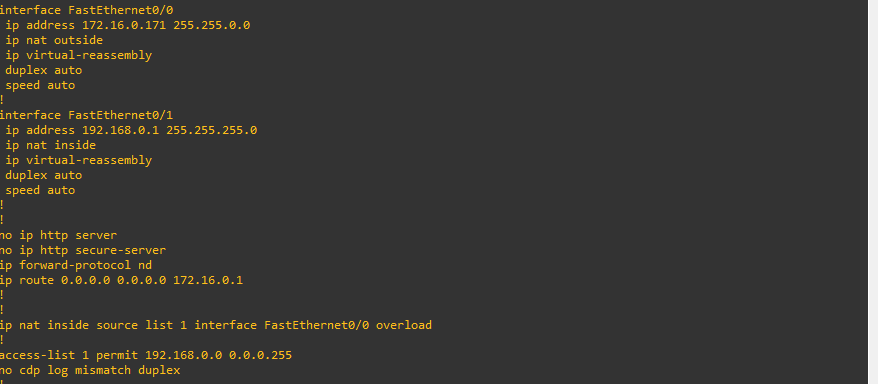
- 이 글의 목표는 interface에 ip 설정 이후에 NAT 설정을 자동화 하는 방법에 대해서 정리한다.
- 특히, 설정해야 할 것은 각각 pc의 ip들과 interface의 게이트웨이 설정 뿐이다.
- route 설정이나 nat-pat 설정 같은 것들은 파이썬 상에서 자동화 한다.
Netmiko
-
Python에서 SSH/Telnet protocol을 구현한 것으로 Network 장비를 cli기반으로 접근하여 제어한다.
-
Paramiko
- Python에서 SSH를 통해 Network 장비를 구성하는 동일한 기능의 모듈
- 상대적으로 사용법이 복잡
-
Rocky Linux에서 IP 설정
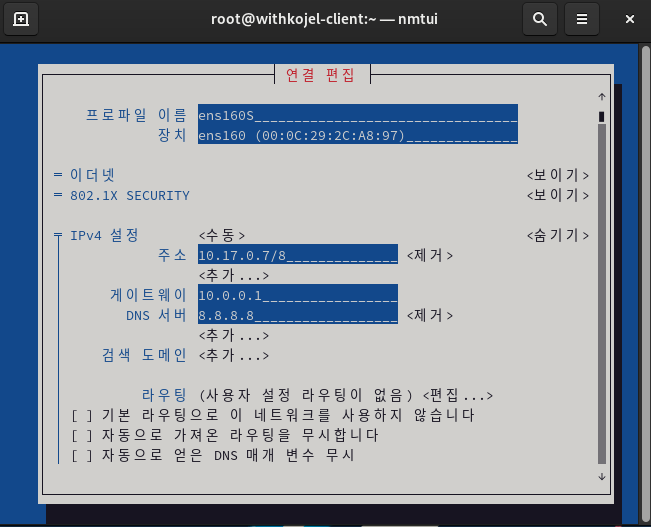
- IP 연결 상태 확인
nmtui device status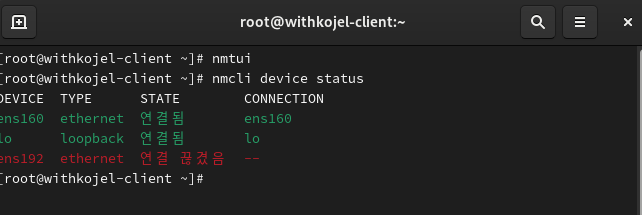
- 네트워크 어댑터 상태 확인: VMnet0, VMnet1로 설정되어 있다.
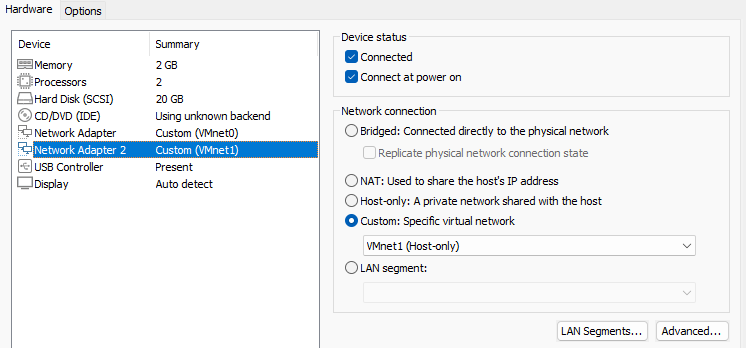
- 단자 추가하고, nmtui로 IP 설정한다.
- 설정할 때, 172.16.0.17/16으로 설정
- 게이트웨이로 사용하기 위해서 ens192를 새롭게 하나 만들어준다.
nmcli connect ens192

nmtui

# 확인
ifconfig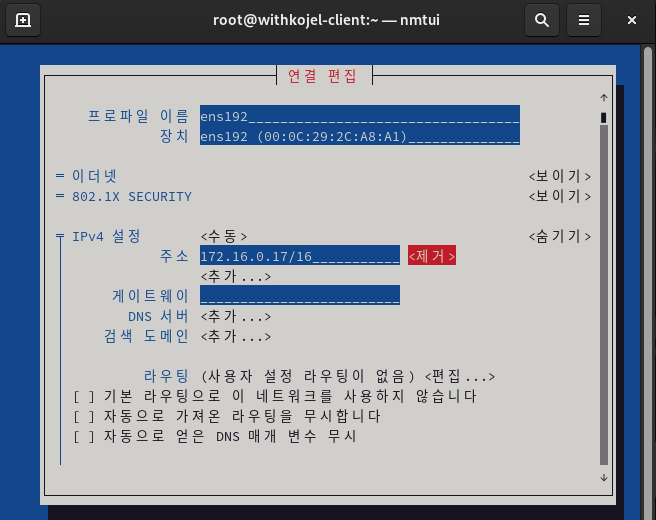

- python3-pip 설치
dnf install -y python3-pip

# 작업위치 생성
mkdir ~/netmiko && cd ~/netmiko

# 가상환경 생성
python3 -m venv venv

# 가상환경 시작
source venv/bin/activate

# netmiko 설치
pip install netmiko

# 설치된 패키지 확인
pip list | grep netmiko
GNS3
-
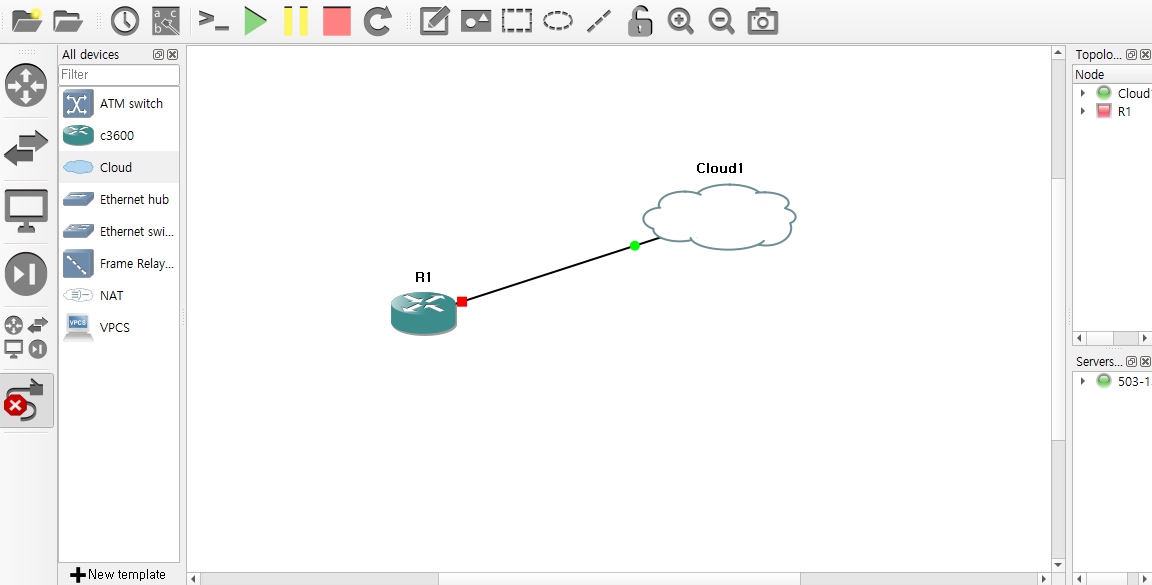
c3600 라우터와 Cloud를 하나씩 배치한다.
-
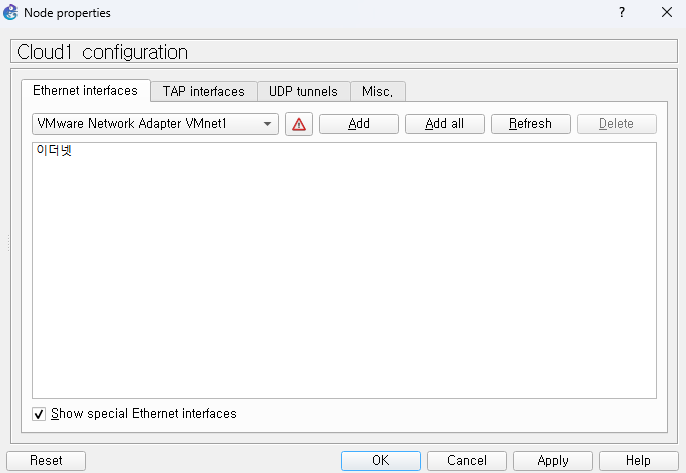
VMnet1을 Add한다.
-
와이어를 연결시킨다.
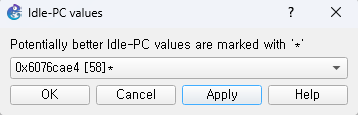
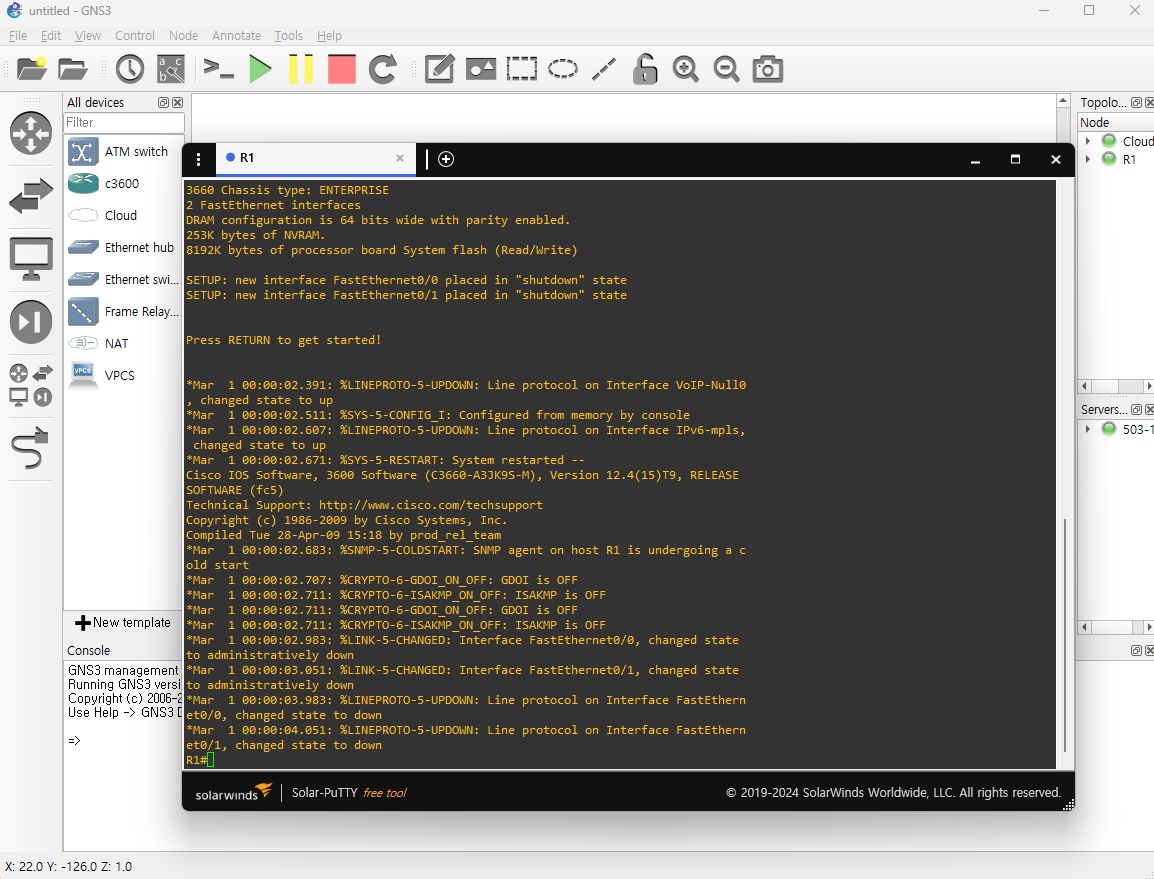
- IP를 작성하고, IdlePC 돌려서 적당한거 선택한다.
- 라우터를 우클릭해서 Start한다.
- 라우터에서 IP 셋팅한 후, 172.16.0.17/16으로 ping이 가는지 확인한다.
# 설정 모드
conf t

# ip 설정 Outside
ip address 172.16.0.171 255.255.0.0

# ip설정 Inside
ip address 192.168.0.1 255.255.255.0

# ping 설정
do ping 172.16.0.17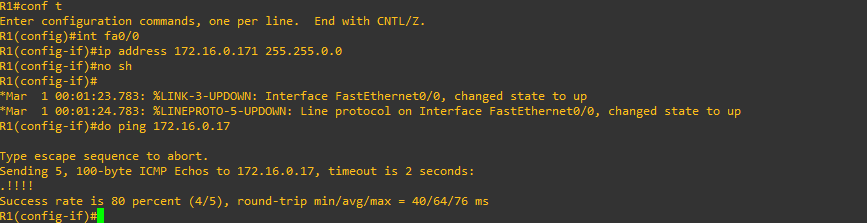
- 도메인 설정한다.
R1(config-if)#exit
R1(config)#ip domain-name yslee.local
R1(config)#username admin privilege 15 secret cisco- 크립토 키를 생성한다.
R1(config)#crypto key generate rsa

The name for the keys will be: R1.yslee.local
Choose the size of the key modulus in the range of 360 to 2048 for your
  General Purpose Keys. Choosing a key modulus greater than 512 may take
  a few minutes.

How many bits in the modulus [512]: 1024
% Generating 1024 bit RSA keys, keys will be non-exportable...[OK]
- vtp line을 설정한다.
R1(config)#line vty 0 4
R1(config-line)#login local
R1(config-line)#transport input ssh
R1(config-line)#exit- 관리자 모드 비밀번호 설정
R1(config)#enable secret cisco- c3660.py 파일을 만들고 아래의 내용을 작성한다.
- description outside: 해당 포트에 outside라는 설명을 붙일 수 있다.
- 아래의 코드는 172.16.0.171을 통해서 cisco 장비에 접속한다. port 번호는 22번 쓰니까 ssh로 접속하는 것이다.
from netmiko import ConnectHandler

c3660_router = {
        'device_type': 'cisco_ios',
        'host': '172.16.0.171',
        'username': 'admin',
        'password': 'cisco',
        'port': 22,
        'secret': 'cisco'
        }

try:
    with ConnectHandler(**c3660_router) as net_connect:
        net_connect.enable()

        config_commands =[
                'interface FastEthernet0/0',
                'description outside'
                ]
        output = net_connect.send_config_set(config_commands)
        print(output)

except Exception as e:
    print(f"error: {e}")
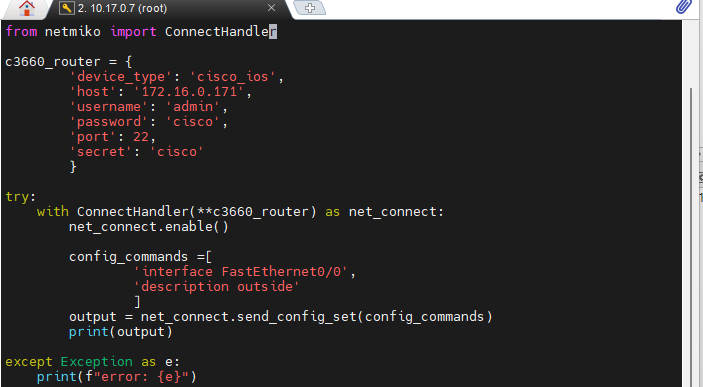
- 위에서 만든 파일을 실행시키면 자동으로 설정하는 것을 볼 수 있다.
python3 c3660.py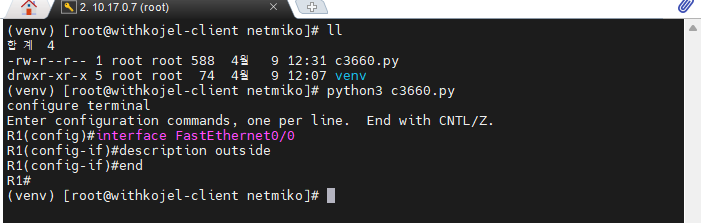
- 아래처럼 address가 작성되었다.

- Switch1과 PC1추가 해주고 와이어링한다.
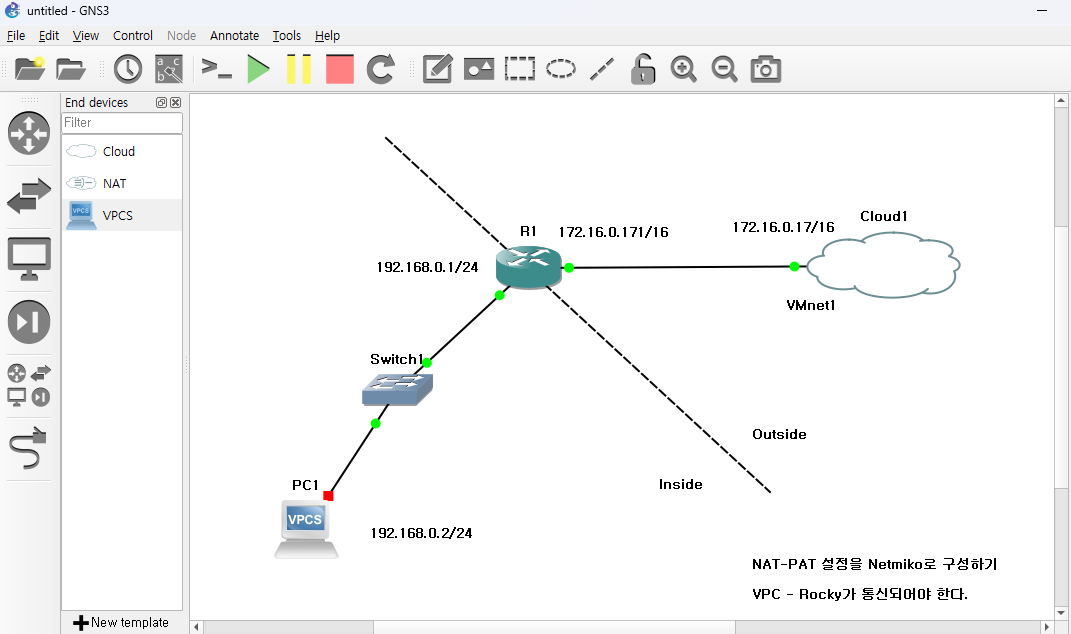
NAT-PAT 설정
- 먼저 VPCS의 전원을 start하고 console로 들어간다.

-
NAT- PAT 설정을 Netmiko로 구성한다.
-
VPC와 Rocky가 통신되어야 한다.
-
Python c3660.py 작성한 것을 좀 수정해본다.
-
수동으로 interface를 설정할려면 원래는
en > configure terminal로 들어간다. 하지만, 자동화 할떄는 config_commands라는 리스트를 만들어서 작업을 순서대로 넣으면 된다. -
config_commands
- fa0/1 : Inside 측 설정한다. nat inside 설정하고, shutdown을 풀어준다.
- fa0/0 : Outside 측 설정한다. nat outside 설정하고, shutdown을 풀어준다.
- ACL을 해줘야하니까 access-list 1번을 만들어서 허용하는 네트워크 설정을 해준다. 허용할 네트워크는 192.168.0.0. 0.0.0.255 이다.
- PAT overload 설정 : inside source list 1을 설정하는데, fa0/0에 overload를 걸어준다.
- 라우팅 설정 : Cloud1의 실제 게이트웨이 IP인 172.16.0.1을 작성한다.
from netmiko import ConnectHandler

c3660_router = {
    'device_type': 'cisco_ios',
    'host': '172.16.0.171',
    'username': 'admin',
    'password': 'cisco',
    'port': 22,
    'secret': 'cisco'
}

try:
    with ConnectHandler(**c3660_router) as net_connect:
        net_connect.enable()

        # NAT-PAT 설정을 위한 명령어 리스트
        config_commands = [
            # 1. 내부 인터페이스 설정 (PC1 연결 방향)
            'interface FastEthernet0/1', # 그림상 192.168.0.1 쪽 인터페이스
            'ip nat inside',
            'no shutdown',
            # 2. 외부 인터페이스 설정 (Cloud/VMnet1 연결 방향)
            'interface FastEthernet0/0', # 그림상 172.16.0.171 쪽 인터페이스
            'ip nat outside',
            'no shutdown',

            # 3. NAT 대상 IP 허용 리스트 (PC1의 대역 192.168.0.0/24)
            'access-list 1 permit 192.168.0.0 0.0.0.255',

            # 4. PAT(Overload) 설정
            'ip nat inside source list 1 interface FastEthernet0/0 overload',

            # 5. 라우팅 설정 (외부로 나가는 기본 경로)
            # 게이트웨이는 Cloud1(VMnet1)의 실제 게이트웨이 IP(예: 172.16.0.1)여야 합니다.
            'ip route 0.0.0.0 0.0.0.0 172.16.0.1'
        ]

        print("NAT-PAT 설정을 전송 중...")
        output = net_connect.send_config_set(config_commands)
        print(output)

        # 설정 저장
        net_connect.send_command("write memory")

except Exception as e:
print(f"error: {e}")- ping 테스트를 해본다.

라우터 running table 분석하기
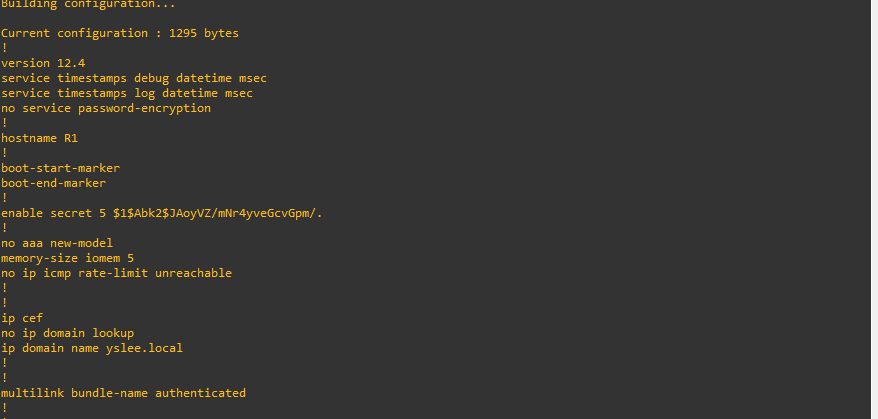
- 먼저 위에서 Secret을 설정한 것이 보인다.
- domain도 yslee.local로 설정했기 때문에 테이블에서 확인할 수 있다.
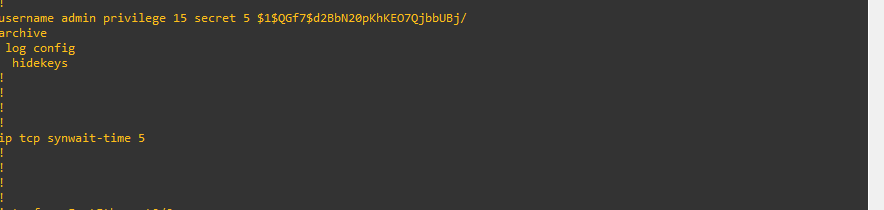
- admin의 권한을 설정한 부분을 확인할 수 있다.
- Inside/Outside 측의 NAT 설정한 것을 확인할 수 있다.
- shutdown도 모두 해제 되었다.
- route는 172.16.0.1로 외부측의 게이트웨이가 설정되어 있다.
- ACL은 192.168.0.0을 허용하도록 만들어져 있다.