기존의 모달과 오버레이를 보면 app이라는 선택자를 가진 div태그 내부에 footer 컴포넌트 하단에 모달과 오버레이가 존재했다. 하지만 모달과 오버레이는 footer 하단에 존재하는 컴포넌트가 아니기 때문에 의미론적인 코드라고 볼 수 없다.
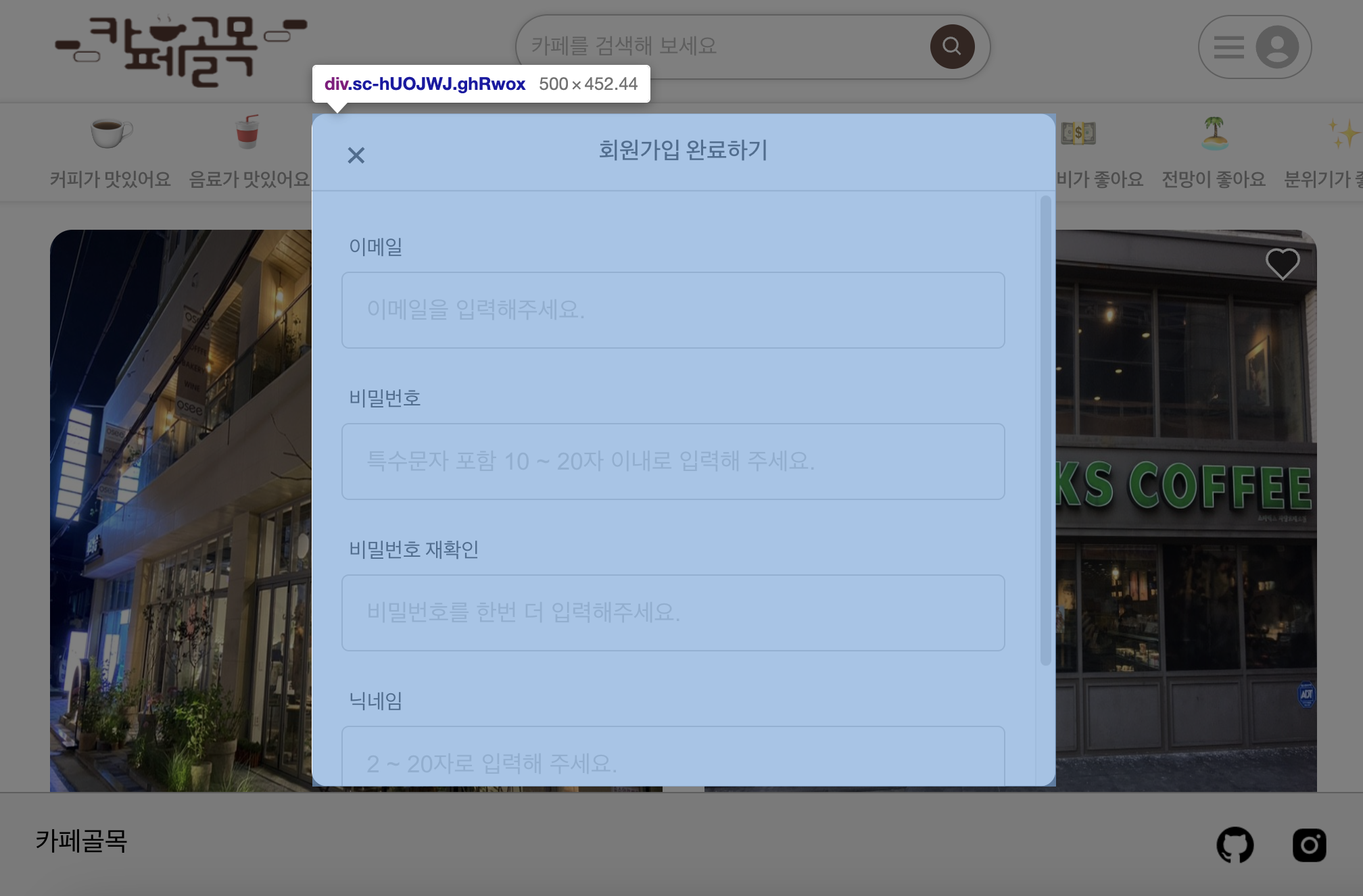
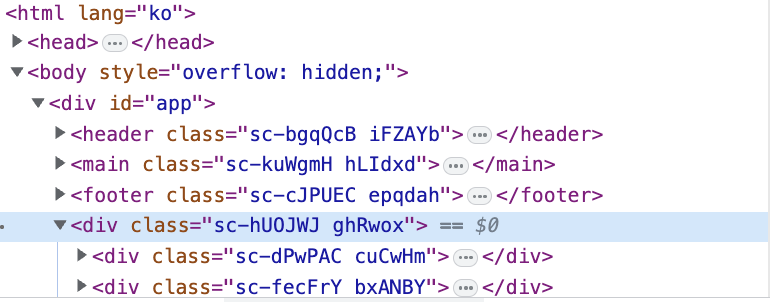
React Portals를 사용하면 모달과 오버레이를 보다 시멘틱한 코드로 작성할 수 있다. Portals는 React 컴포넌트를 다른 DOM 노드에 렌더링할 수 있게 해주는데, 이를 통해 모달과 오버레이를 렌더링하는 동안, 다른 DOM 노드를 통해 의미론적인 계층을 유지할 수 있다.
먼저 public/index.html 파일에 모달을 렌더링할 DOM 노드를 추가한다.
<!-- public/index.html -->
<!DOCTYPE html>
<html lang="en">
  <head>
    <!-- ... -->
  </head>
  <body>
    <div id="root"></div>
    <div id="modal-root"></div>
  </body>
</html>
다음으로, BaseModal컴포넌트를 수정하여 ReactDOM.createPortal()함수를 사용하여 모달을 modal-root에 렌더링하도록 한다.
// src/components/helpers/BaseModal.jsx
import React, { useRef, useEffect } from 'react';
import ReactDOM from 'react-dom';
import PropTypes from 'prop-types';
import styled from 'styled-components';
import { palette } from '../../styles/globalColor';

// ... styled components ...

const BaseModal = ({ isVisible, onClose, title, children }) => {
  const modalRef = useRef(null);

  // ... handleModalOutsideClick and useEffect ...

  if (!isVisible) {
    return null;
  }

  return ReactDOM.createPortal(
    (
      <ModalContainer ref={modalRef}>
        <ModalTop>
          <CloseBtn
            onClick={onClose}
            xmlns='http://www.w3.org/2000/svg'
            width='24'
            height='24'
            viewBox='0 0 24 24'
          >
            <path d='m16.192 6.344-4.243 4.242-4.242-4.242-1.414 1.414L10.535 12l-4.242 4.242 1.414 1.414 4.242-4.242 4.243 4.242 1.414-1.414L13.364 12l4.242-4.242z'></path>
          </CloseBtn>
          <h2>{title}</h2>
        </ModalTop>
        {children}
      </ModalContainer>
    ),
    document.getElementById('modal-root')
  );
};

// ... propTypes ...

export default BaseModal;
다음으로 오버레이 역시 동일한 방법으로 코드를 수정한다.
이제 더이상 모달과 오버레이가 app이 아닌 modal-root라는 선택자를 가진 div 태그 내부에 존재한다.
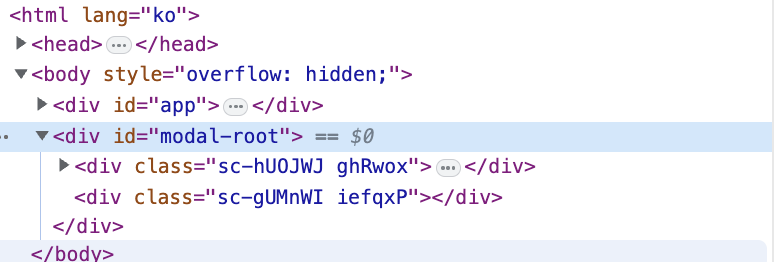
이렇게 React Portals를 이용하면 외관상으로는 기존의 모달과 오버레이의 모습과 같지만 모달과 오버레이가 기존 코드보다 더 의미론적인 코드로 변경되었다.

프론트엔드 학습 과정을 기록하고 있습니다.