JS OPERATORS
JavaSciprt Operators
Operators
- 변수에 값을 할당하고 더하기 :
<!DOCTYPE html>
<html>
<body>

<h2>JavaScript Operators</h2>

<p>x = 5, y = 2, calculate z = x + y, and display z:</p>

<p id="demo"></p>

<script>
let x = 5;
let y = 2;
let z = x + y;
document.getElementById("demo").innerHTML = z;
</script>

</body>
</html>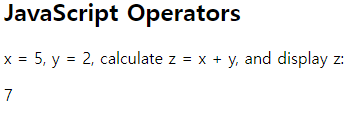
등호연산자 ====
- 등호 연산자로 변수에 값을 할당 시킬 수 있다:
<!DOCTYPE html>
<html>
<body>

<h2>JavaScript Operators</h2>
<h3>The = Operator</h3>

<p id="demo"></p>

<script>
let x = 10;
document.getElementById("demo").innerHTML = x;
</script>

</body>
</html>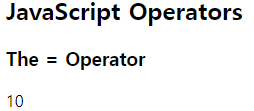
더하기 연산자 ++++
- 더하기 연산자로 숫자를 더할 수 있다:
<!DOCTYPE html>
<html>
<body>

<h2>JavaScript Arithmetic</h2>
<h3>The + Operator</h3>

<p id="demo"></p>

<script>
let x = 5;
let y = 2;
let z = x + y;
document.getElementById("demo").innerHTML = z;
</script>

</body>
</html>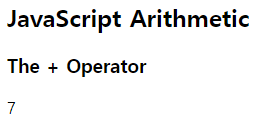
곱하기 연산자 ****
- 곱하기 연산자로 숫자를 곱할 수 있다:
<!DOCTYPE html>
<html>
<body>

<h2>JavaScript Arithmetic</h2>
<h3>The * Operator</h3>

<p id="demo"></p>

<script>
let x = 5;
let y = 2;
let z = x * y;
document.getElementById("demo").innerHTML = z;
</script>

</body>
</html>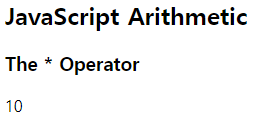
JavaScript Arithmetic Operators
| Operator | Description |
|---|---|
| + | Addition |
| - | Subtraction |
| * | Multiplication |
| ** | Exponentiation (ES2016) |
| / | Division |
| % | Modulus (Division Remainder) |
| ++ | Increment |
| -- | Decrement |
산술 연산자는 JS Arithmetic 챕터에서 더 자세하게 다룬다.
(참조 : https://www.w3schools.com/js/js_arithmetic.asp)
JavaScript Assignment Operators
| Operator | Example | Same As |
|---|---|---|
| = | x = y | x = y |
| += | x += y | x = x + y |
| -= | x -= y | x = x - y |
| *= | x *= y | x = x * y |
| /= | x /= y | x = x / y |
| %= | x %= y | x = x % y |
| **= | x **= y | x = x ** y |
더하기 할당 연산자(+=)는 변수에 값을 더한다:
<!DOCTYPE html>
<html>
<body>

<h2>The += Operator</h2>

<p id="demo"></p>

<script>
var x = 10;
x += 5;
document.getElementById("demo").innerHTML = x;
</script>

</body>
</html>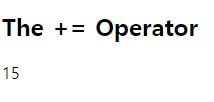
할당 연산자는 JS Assignment 챕터에서 더 자세하게 다룬다.
(참조 : https://www.w3schools.com/js/js_assignment.asp)
JavaScript String Operators
- +연산자를 사용하여 문자열을 추가(연결) 할 수도 있다.
<!DOCTYPE html>
<html>
<body>

<h2>JavaScript Operators</h2>

<p>The + operator concatenates (adds) strings.</p>

<p id="demo"></p>

<script>
let text1 = "John";
let text2 = "Doe";
let text3 = text1 + " " + text2;
document.getElementById("demo").innerHTML = text3;
</script>

</body>
</html>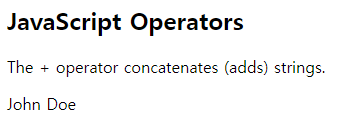
Adding Strings and Numbers
- +=할당 연산자를 사용하여 문자열을 추가(연결)할 수도 있다:
<!DOCTYPE html>
<html>
<body>

<h2>JavaScript Operators</h2>

<p>The assignment operator += can concatenate strings.</p>

<p id="demo"></p>

<script>
let text1 = "What a very ";
text1 += "nice day";
document.getElementById("demo").innerHTML = text1;
</script>

</body>
</html>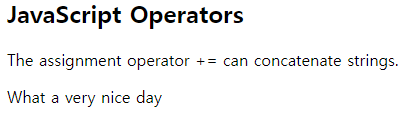
※문자열에 사용할 때는, + 연산자를 연결 연산자라 부른다.(concatenation operator)
Adding Strings and Numbers
숫자 + 문자열
두개의 숫자를 더하면 합계가 반환되지만 숫자와 문자열을 더하면 문자열이 반환된다.
<!DOCTYPE html>
<html>
<body>

<h2>JavaScript Operators</h2>

<p>Adding a number and a string, returns a string.</p>

<p id="demo"></p>

<script>
let x = 5 + 5;
let y = "5" + 5;
let z = "Hello" + 5;
document.getElementById("demo").innerHTML =
x + "<br>" + y + "<br>" + z;
</script>

</body>
</html>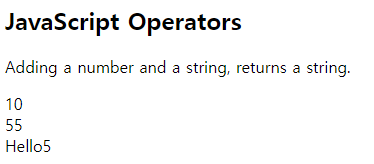
JavaScript Comparison Operators
| Operator | Description |
|---|---|
| == | equal to |
| \=== | equal value and equal type |
| != | not equal |
| !== | not equal value or not equal type |
| > | greater than |
| < | less than |
| >= | greater than or equal to |
| <= | less than or equal to |
| ? | ternary operator |
비교 연산자는 JS Comparisons 챕터에서 더 자세하게 다룬다.
(참조 : https://www.w3schools.com/js/js_comparisons.asp)
JavaScript Logical Operators
| Operator | Description |
|---|---|
| && | logical and |
| || | logical or |
| ! | logical not |
로직 연산자는 JS Comparisons 챕터에서 더 자세하게 다룬다.
(참조 : https://www.w3schools.com/js/js_comparisons.asp)
JavaScript Type Operators
| Operator | Description |
|---|---|
| typeof | Returns the type of a variable |
| instanceof | Returns true if an object is an instance of an object type |
타입 연산자는 JS Type Conversion 챕터에서 더 자세하게 다룬다.
(참조 : https://www.w3schools.com/js/js_type_conversion.asp)
JavaScript Bitwise Operators
비트 연산자는 32비트로 작동한다.
연산의 모든 숫자 피연산자는 32비트로 변환된다.
결과는 JS 숫자로 다시 반환된다.
| Operator | Description | Example | Same as | Result | Decimal |
|---|---|---|---|---|---|
| & | AND | 5 & 1 | 0101 & 0001 | 0001 | 1 |
| | | OR | 5 \ | 1 | 0101 | 0001 | 0101 |
| ~ | NOT | ~ 5 | ~0101 | 1010 | 10 |
| ^ | XOR | 5 ^ 1 | 0101 ^ 0001 | 0100 | 4 |
| < | Zero fill left shift | 5 << 1 | 0101 << 1 | 1010 | 10 |
| >> | Signed right shift | 5 >> 1 | 0101 >> 1 | 0010 | 2 |
| >>> | Zero fill right shift | 5 >>> 1 | 0101 >>> 1 | 0010 | 2 |
※위의 예는 부호가 없는 가정하에 4비트로 예시를 들었다.
그러나 JS는 부호가 있는 32비트 숫자를 사용한다.
이 때문에 JS에서 ~5는 10을 반환하지 않고, -6을 반환한다.
~00000000000000000000000000000101 will return 11111111111111111111111111111010
비트 연산자는 JS Type Bitwise 챕터에서 더 자세하게 다룬다.
(참조 : https://www.w3schools.com/js/js_bitwise.asp)